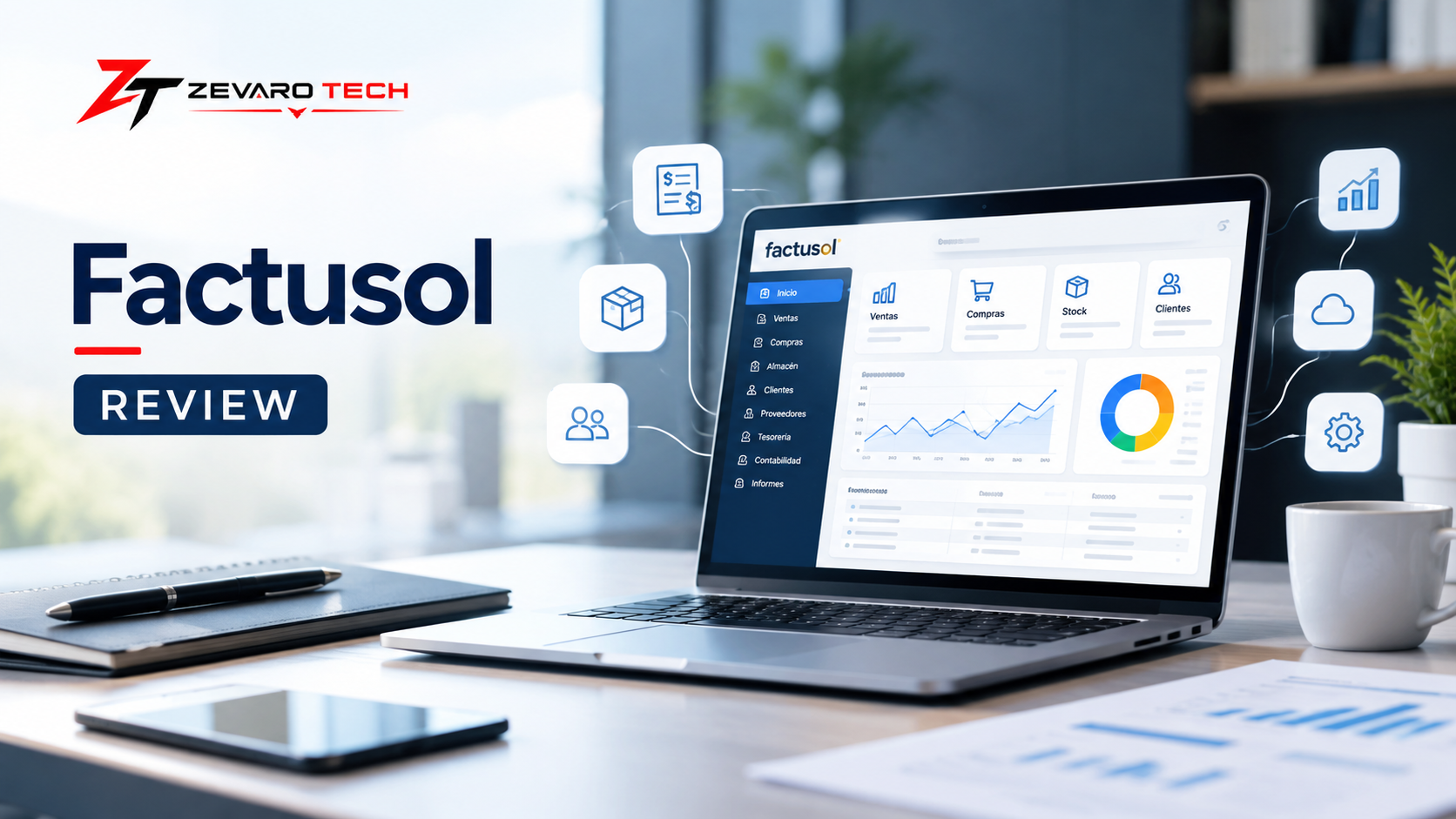
Factusol is business management software focused on functions such as invoicing, sales, purchasing, inventory, customers, suppliers, payments, and reporting. Its suitability depends on a business’s required features, platform preferences, location, and accounting or tax requirements. U.S. businesses should verify current U.S. availability, integrations, and compliance capabilities before choosing it.
What Is Factusol?
Factusol is business management and invoicing software designed to help companies manage day-to-day commercial operations, including sales, purchasing, inventory, invoicing, collections, payments, and related financial workflows. Current software-directory data describes it as a solution that can be used locally or through cloud access, with functionality covering the sales cycle from quotes and orders through delivery notes and invoices.
Its strongest use case is not simply creating invoices. Factusol brings several operational tasks into one system, particularly for businesses that sell physical products and need stock control alongside sales and billing.
One point matters for U.S. readers: much of the product’s ecosystem and regulatory positioning is centered on Spain. That means American businesses should verify language, tax, compliance, integrations, payment workflows, and other local requirements before treating Factusol as a direct replacement for U.S.-focused accounting software.
What Is Factusol Used For?
Factusol can support several parts of a business’s commercial workflow:
- Invoicing: Create and manage invoices and other sales documents.
- Sales: Manage quotes, orders, delivery notes, invoices, and related sales processes.
- Purchasing: Track purchasing activities and supplier-related transactions.
- Inventory: Monitor stock, products, warehouses, and product traceability.
- Customer management: Maintain customer information and sales-related records.
- Supplier management: Organize supplier information and purchasing workflows.
- Payments and collections: Track amounts due, payments, collections, and related financial activity.
- Reporting: Use business and financial reports to monitor operations.
- Bank reconciliation: Available functionality includes matching financial records with bank statements.
For example, a retailer could use Factusol to move from a customer quote to an order, delivery document, invoice, inventory update, and payment tracking within the same broader workflow.
Who Is Factusol Designed For?
Factusol is particularly relevant to small and midsize businesses that need more than basic invoice creation. Current software listings identify use cases across retail, manufacturing, distribution, and other business categories.
Retail businesses
Useful when a company needs sales, inventory, product management, and invoicing together.
Wholesalers and distributors
A stronger fit when the business handles products, purchasing, stock, orders, and customer deliveries.
Businesses with inventory
Factusol’s inventory capabilities make it more relevant to companies that need stock tracking rather than simple service invoicing.
Small and midsize companies
Businesses looking for a broader commercial-management system may find it more useful than a tool focused only on invoices.
Service businesses
Factusol can still be relevant, but businesses with no physical inventory should compare it carefully with simpler cloud-first invoicing or accounting platforms.
Factusol at a Glance
| Factor | Factusol |
|---|---|
| Primary purpose | Invoicing and business management |
| Core areas | Sales, purchases, inventory, billing and payments |
| Inventory | Yes |
| Invoicing | Yes |
| Customer management | Yes |
| Supplier management | Yes |
| Reporting | Yes |
| Bank reconciliation | Available |
| Deployment | Local and cloud options are available |
| Best fit | Businesses needing commercial and inventory management |
| U.S. consideration | Verify local accounting, tax and compliance requirements |
The exact availability of features, deployment options, support, and pricing can change, so product details should be checked against current vendor information before making a purchasing decision.
Factusol Features
Factusol covers a broad range of functions, but its value becomes clearer when you look at the complete business workflow rather than a long feature list. Its documented capabilities include invoicing, quotes and estimates, sales and purchasing workflows, inventory control, customer and supplier management, payments, reporting, bank reconciliation, and other operational tools.
Invoicing and Billing
Invoicing is one of Factusol’s core functions. The software supports the creation and management of invoices alongside other documents used during the sales cycle.
Depending on the configuration and current product version, businesses can work with:
- Customer invoices
- Quotes and estimates
- Orders
- Delivery notes
- Recurring billing
- Online invoicing
- Payment-related workflows
- Sales documentation and records
- Reporting connected to billing activity
The useful distinction is that Factusol does not treat an invoice as an isolated document. A business can manage it as part of a broader sales process.
Example: A distributor could prepare a quote, convert it into an order, record the delivery, issue the invoice, and then track the resulting payment.
Expert tip: When evaluating invoicing software, test the complete workflow rather than creating one sample invoice. A tool that handles invoice creation well may still create friction around corrections, delivery documents, payments, reporting, or customer records.
Sales Management
Factusol supports multiple stages of the sales cycle, including quotes, orders, delivery notes, and invoices. This makes it more suitable for businesses with structured sales processes than a basic invoice generator.
A typical workflow can look like:
Quote → Order → Delivery → Invoice → Collection
This structure is particularly useful when sales activity needs to remain connected to inventory and customer records.
Purchasing Management
Purchasing functionality helps businesses manage the other side of their commercial operation: buying products or materials from suppliers.
Relevant capabilities include:
- Supplier management
- Purchasing and receiving
- Purchase-related documentation
- Product and stock updates
- Payment tracking
- Supplier records
For a product-based business, connecting purchasing with inventory can reduce the need to maintain separate spreadsheets for incoming stock.
Inventory and Stock Management
Inventory is one of the areas where Factusol can become more useful than a basic invoicing application. Current software listings identify inventory control, inventory tracking, warehouse management, product catalogs, and manufacturing-related inventory capabilities among its features.
Depending on the configuration, businesses can manage areas such as:
- Product catalogs
- Stock levels
- Inventory movements
- Warehouses
- Product traceability
- Orders connected to stock
- Purchasing and receiving
- Returns
- Inventory-related reporting
- Manufacturing inventory workflows
Third-party reviews also specifically mention stock control and product traceability as useful parts of the software.
Real-world scenario: A retailer receiving a shipment can record the purchase, update available stock, sell products through its sales workflow, and use inventory information when managing subsequent orders.
Inventory checklist
- Product records
- Stock tracking
- Warehouse management
- Product traceability
- Purchasing connection
- Sales connection
- Returns management
- Inventory reporting
Customer and Supplier Management
Factusol includes customer and supplier management features, allowing business records to remain connected to sales and purchasing activity. Current listings include customer databases, client management, supplier management, and contact-related functionality.
This can help businesses maintain:
- Customer records
- Supplier records
- Contact information
- Sales history
- Purchase-related information
- Payment and collection information
- Documents associated with business relationships
The practical advantage is consistency: customer information does not have to live in one application while invoices and orders live somewhere else.
Payments, Accounts and Reporting
Factusol also extends beyond document creation into payment and financial-management workflows. Current listings identify accounts receivable and payable management, payment processing, bank reconciliation, reporting, and financial-management functionality.
| Area | What it can support |
|---|---|
| Receivables | Tracking amounts customers owe |
| Payments | Managing payment-related workflows |
| Bank reconciliation | Matching records with bank statements |
| Reporting | Monitoring business activity and financial information |
| Sales reporting | Reviewing sales performance |
| Financial management | Managing broader financial operations |
This does not mean every Factusol installation should be treated as a complete replacement for dedicated accounting software. Businesses should verify exactly which accounting functions are included in their selected configuration and whether additional software or services are required for their accounting needs.
Expert tip: Separate “invoicing,” “financial management,” and “full accounting” when comparing software. These terms are often used loosely, but they describe different levels of functionality.
Factusol Pricing
Factusol pricing requires more care than simply quoting one number because current third-party sources describe different purchasing and deployment arrangements. Capterra and Software Advice currently list pricing as available on request, while a June 2026 independent pricing analysis reports separate desktop, cloud, and local options and identifies a free desktop version.
For that reason, the safest approach is to distinguish between the free/local product model, paid services, and cloud access, then verify the exact current offer before publishing a final price.
Is Factusol Free?
There is a distinction between a free desktop version and paid services.
A June 2026 pricing analysis reports that Factusol has a downloadable desktop version that can be used free on one PC, while paid options add services such as updates and support. The same source reports cloud and local paid options with different pricing levels. These figures should be confirmed against the current official vendor pricing before purchase.
| Pricing consideration | What to check |
|---|---|
| Free desktop version | What features are included? |
| Updates | Are current updates included? |
| Technical support | Is human support included? |
| Cloud access | Is cloud access a separate paid service? |
| Local option | What services are included? |
| Number of computers/users | What are the current limits? |
| Additional products | Are accounting or other modules separate? |
This is why calling Factusol simply “free accounting software” can be misleading. The free option and the broader paid service offering are not necessarily the same product experience.
What Does the Price Include?
Before comparing Factusol with another platform, look beyond the headline price.
Check whether your selected option includes:
- Software access
- Product updates
- Technical support
- Cloud access
- Data backup
- Multiple users
- Multiple computers
- Additional business modules
- Integrations
- Accounting functionality
- Migration assistance
A low software cost can become less attractive if a business later needs several paid additions.
For example, a small retailer that only needs a single desktop installation may have very different costs from a business that requires cloud access, support, multiple users, and additional accounting functionality.
Factusol Pricing: What Should You Verify?
Before purchasing, verify:
- Current official price
- Whether VAT/taxes are included
- Free-version limitations
- Update policy
- Support costs
- Cloud costs
- Local installation costs
- Number of users/devices
- Additional modules
- Cancellation or renewal terms
Pricing warning: Current third-party sources do not all present the same pricing information. Use third-party articles for research, but confirm the final price and included services with the current official provider information.
Is Factusol Cloud-Based?
Factusol can be used through local and cloud-oriented options, but its deployment model deserves closer attention than a simple “cloud software” label suggests. Current software directories describe cloud access, while recent pricing analysis distinguishes between a free desktop installation and paid cloud and local options.
That distinction matters because businesses have different requirements for remote access, data location, backups, multiple devices, and collaboration.
Factusol Desktop vs Cloud
| Consideration | Desktop / Local | Cloud option |
|---|---|---|
| Installation | Local installation | Cloud-enabled access |
| Access | Primarily through configured computer/environment | Designed for access through supported online setup |
| Remote work | More limited depending on setup | Better suited to remote access |
| Data management | Local environment may be central | Cloud environment adds online access |
| Support needs | Depends on selected service | Depends on selected service |
| Best fit | Businesses comfortable with local software | Businesses needing greater online accessibility |
The exact capabilities and technical requirements should be verified for the current Factusol plan rather than inferred from the word “cloud.”
Which Option Is Better for Your Business?
Choose based on workflow rather than trend.
A local setup may make more sense if:
- You mainly work from one location.
- Your business prefers locally installed software.
- You have a controlled desktop environment.
- Remote access is not a major requirement.
A cloud option may make more sense if:
- Staff need access from different locations.
- Remote work matters.
- You operate across multiple devices.
- Online access is part of your workflow.
Common mistake: Assuming that “cloud” automatically means the software is identical to a pure cloud-native accounting platform. Compare access, synchronization, backups, integrations, and data management before deciding.
Does Factusol Work in the USA?
Factusol can be researched and accessed by U.S.-based businesses, but availability is not the same thing as U.S. suitability. The more important question is whether the software’s language, accounting workflow, tax requirements, integrations, payment systems, and regulatory features match the needs of an American business.
This distinction matters because current third-party descriptions strongly connect Factusol with the Spanish business market and Spanish regulatory requirements.
A U.S. company should therefore evaluate Factusol as a potential business-management tool rather than assume it is a U.S.-focused accounting platform.
Factusol Availability for U.S. Businesses
Before adopting Factusol in the United States, verify these points directly:
| Question | What to verify |
|---|---|
| Availability | Can the current product/service be purchased and supported in the U.S.? |
| Language | Is the required interface/document language available? |
| Currency | Can the business use the currencies it requires? |
| Tax | Does the configuration support required U.S. tax workflows? |
| Compliance | Are relevant U.S. requirements supported? |
| Payments | Are required payment workflows available? |
| Integrations | Can it connect with the tools the business already uses? |
| Support | Is appropriate support available for U.S. customers? |
| Data | Does the deployment model meet the company’s requirements? |
Important: Do not assume that features built around Spanish regulations automatically satisfy U.S. federal, state, or local requirements.
U.S. Accounting and Tax Considerations
This is one of the biggest areas where U.S. readers should slow down.
A business in the United States may need software that works with requirements involving:
- Federal tax reporting
- State and local sales tax
- U.S. accounting workflows
- Payment processing
- Payroll
- Bank connections
- Tax-related integrations
- Accountant workflows
- Electronic reporting requirements
Factusol’s Spanish-market positioning means these requirements should be independently verified rather than assumed. Recent third-party sources specifically discuss Spanish regulatory functionality such as VeriFactu, TicketBAI, and SII, which should not be interpreted as evidence of U.S. tax compliance.
Expert tip: If U.S. tax compliance is a deciding factor, ask the vendor or a qualified U.S. accounting professional to confirm the exact requirement you need. A general statement that software “supports taxes” is not enough.
U.S. Integrations and Business Workflows
A U.S. business should test the entire workflow before committing.
Verify:
- U.S. bank connectivity
- Payment processor compatibility
- E-commerce integrations
- Accounting integrations
- Tax tools
- Payroll requirements
- Data export
- API availability
- Multi-user access
- Customer support
If your company already depends heavily on a U.S.-focused accounting ecosystem, compare Factusol against platforms built specifically around those requirements before switching.
Factusol Pros and Cons
Factusol’s biggest strength is the breadth of its operational functionality, particularly for businesses that combine invoicing with inventory, sales, purchasing, and stock management. Its biggest potential drawback is that the software needs to be evaluated in the context of the business’s preferred platform, market, accounting requirements, and deployment model.
Factusol Pros
- Broad commercial functionality: It covers more than basic invoice creation.
- Strong inventory focus: Useful for businesses that sell and track physical products.
- Connected sales workflow: Quotes, orders, delivery notes, and invoices can form part of the same process.
- Customer and supplier management: Keeps business records connected to commercial activity.
- Payment and financial tools: Includes capabilities such as receivables, payments, and bank reconciliation.
- Flexible deployment: Current sources identify both local and cloud-oriented options.
- Useful for product-based businesses: Retail, distribution, and similar businesses can benefit from its inventory-oriented approach.
Factusol Cons
- Pricing can be difficult to summarize with one number: Different deployment and service arrangements affect the cost.
- U.S. suitability requires verification: Spanish-market functionality should not automatically be treated as U.S. compliance.
- Potentially more software than a service-only business needs: Companies without inventory may prefer a simpler platform.
- Interface preferences vary: Some user reviews praise functionality while describing the interface as basic or traditional.
- Feature depth can increase complexity: A broader system can require more setup and training than a simple invoicing tool.
Who May Find Factusol Difficult to Use?
Factusol may require more evaluation if you:
- Run a simple service business with no inventory.
- Want a minimalist cloud-first experience.
- Need a strongly U.S.-oriented accounting ecosystem.
- Expect every accounting function to exist in one product.
- Need highly specialized integrations.
- Prefer software that requires almost no configuration.
The right question is not whether Factusol has “too many” features. It is whether those features match the way your business actually operates.
Factusol Reviews and User Experience
Independent software-review platforms provide useful signals about how customers perceive Factusol, although the review pool is relatively small and should not be treated as a universal measure of product quality.
Capterra currently lists Factusol at 4.9/5 from 14 reviews, while Software Advice also reports a 4.9 overall rating from 14 reviews. Software Advice’s displayed secondary scores include 4.6 for ease of use, 4.7 for value for money, 4.6 for customer support, and 4.8 for functionality.
What Users Like
Several recurring themes appear in the available reviews:
- Broad functionality
- Invoicing and inventory management
- Product and stock control
- Customer management
- Support and training
- Flexibility in business workflows
For example, verified reviewers have described the software as useful for managing invoicing and inventory, while another reviewer highlighted the breadth of product categorization, order tracking, supplier management, and business workflows.
That pattern supports a practical conclusion: Factusol’s appeal appears strongest when a business actually needs its range of operational features.
Common Complaints
The available reviews also reveal some limitations:
- Some users describe the interface as basic or dated.
- More advanced functionality may require time to learn.
- Initial setup can involve substantial data organization.
- Some reviewers mention limitations or delays around requested improvements.
- Businesses with simpler requirements may find the software more extensive than necessary.
One verified Software Advice reviewer specifically mentioned the learning curve involved in using the software’s many utilities and raised concerns about data loss in a local-PC scenario. That type of feedback is particularly relevant when comparing local installations with cloud-oriented systems.
How Much Weight Should You Give Software Reviews?
Use reviews to identify patterns, not to outsource your buying decision.
A 4.9 rating does not tell you whether Factusol is suitable for your business. Instead, look at:
- What type of business wrote the review?
- Which features did they actually use?
- How long did they use the software?
- What problems did they mention?
- Does their workflow resemble yours?
Expert tip: A retailer praising inventory control is more relevant to another retailer than to a U.S. consultant who only needs recurring invoices.
Factusol Alternatives
Factusol should be compared with alternatives based on business requirements rather than overall ratings. Current software directories commonly place it alongside products such as QuickBooks, Xero, Odoo, NetSuite, and Sage.
The right alternative depends on whether your priority is accounting, invoicing, inventory, ERP functionality, cloud access, or U.S.-specific business requirements.
Factusol vs QuickBooks
Factusol may be more attractive when:
- Inventory and commercial workflows are central.
- Product management is important.
- You want sales, purchasing, stock, and invoicing in the same operational environment.
QuickBooks may deserve closer consideration when:
- Accounting is the primary requirement.
- Your business depends on a U.S.-focused accounting ecosystem.
- You need accounting-oriented integrations and workflows.
Do not compare the two simply by counting features. Compare the actual tasks your business needs to complete.
| Factor | Factusol | QuickBooks |
|---|---|---|
| Invoicing | Yes | Yes |
| Inventory | Yes | Verify current plan |
| Sales workflow | Yes | Yes |
| Accounting ecosystem | Verify required setup | Strong accounting focus |
| U.S. suitability | Verify | Stronger U.S. relevance |
| Best comparison point | Commercial operations | Accounting ecosystem |
Factusol vs Xero
Xero is another major alternative to consider, particularly for businesses prioritizing cloud-based accounting workflows.
Factusol may appeal more when:
- Inventory and product operations are central.
- Sales and purchasing workflows matter heavily.
- A local/cloud hybrid approach fits the business.
Xero may appeal more when:
- Cloud accounting is the priority.
- Online access is central to the workflow.
- The business wants an established cloud accounting ecosystem.
Current Capterra data lists Xero as a leading Factusol alternative and reports Xero pricing separately from Factusol.
| Factor | Factusol | Xero |
|---|---|---|
| Invoicing | Yes | Yes |
| Inventory | Yes | Verify current plan |
| Cloud accounting | Verify configuration | Core positioning |
| Product operations | Strong focus | Verify requirements |
| U.S. suitability | Verify | Strong U.S. relevance |
| Best comparison point | Commercial + inventory workflow | Cloud accounting |
Factusol vs Odoo
Odoo is a broader business-management platform and can be a better comparison for companies looking beyond invoicing and basic inventory.
Factusol may be preferable when:
- You want a more focused commercial-management application.
- Your core requirements revolve around sales, purchasing, inventory, and invoicing.
- You do not need a broad ERP ecosystem.
Odoo may be preferable when:
- You need multiple business applications.
- You want broader ERP functionality.
- You expect to connect different operational departments through one platform.
Software Advice currently lists Odoo among Factusol alternatives and positions it as a broader business-management option.
| Factor | Factusol | Odoo |
|---|---|---|
| Invoicing | Yes | Yes |
| Inventory | Yes | Yes |
| Sales | Yes | Yes |
| Purchasing | Yes | Yes |
| ERP breadth | More focused | Broad |
| Customization | Verify requirements | Strong platform focus |
| Best comparison point | Commercial management | Broader ERP |
Other Factusol Alternatives
The shortlist should depend on the problem you are trying to solve:
| Alternative | Consider it when… |
|---|---|
| QuickBooks | Accounting and a U.S.-oriented ecosystem are major priorities |
| Xero | Cloud accounting and online workflows are central |
| Odoo | You need broader ERP and business-management functionality |
| NetSuite | You need a larger-scale business management/ERP platform |
| Sage | Accounting and financial-management requirements are central |
Current software-directory listings identify these products among Factusol’s comparison set, but feature availability and pricing vary by plan and market.
Best practice: Shortlist two or three platforms, then run the same workflow through each one—for example:
Customer → Quote → Order → Inventory → Invoice → Payment → Report
That test often reveals more than a feature checklist.
Factusol vs Alternatives: Comparison Table
Factusol makes the most sense when your priority is connecting invoicing, sales, purchasing, and inventory management. Other platforms may be stronger when the main requirement is cloud accounting, U.S.-focused tax workflows, or a broader ERP ecosystem.
The comparison below focuses on the areas most likely to affect a buying decision. Product plans and regional availability can change, so specific features should be checked against the current vendor documentation before purchase.
| Factor | Factusol | QuickBooks | Xero | Odoo |
|---|---|---|---|---|
| Primary focus | Business management, invoicing, sales and inventory | Cloud accounting and small-business financial management | Online accounting and financial management | Integrated ERP and business applications |
| Invoicing | Yes | Yes | Yes | Yes |
| Inventory | Yes | Available on applicable plans | Yes, with plan/feature considerations | Yes |
| Accounting | Verify required accounting scope | Strong accounting focus | Strong accounting focus | Full accounting application |
| Cloud | Cloud and local options should be verified | Cloud-based | Cloud-based | Cloud/SaaS options available |
| U.S. suitability | Verify U.S. requirements carefully | Strong U.S. focus | Strong U.S. offering | U.S. localization available |
| Best for | Product-based businesses needing commercial workflows | Businesses prioritizing accounting | Businesses prioritizing online accounting | Businesses needing broader ERP functionality |
QuickBooks describes its platform as cloud-based and includes invoicing, expenses, bank feeds, tax tools, inventory, and accountant access. Xero’s U.S. platform combines online accounting with invoicing, payments, bank reconciliation, purchase orders, inventory, reporting, and U.S. sales-tax functionality. Odoo goes further into ERP territory, combining accounting and invoicing with inventory, purchasing, sales, and other business applications.
Quick takeaway: If inventory and commercial operations are central, Factusol deserves consideration. If U.S.-focused accounting is the priority, compare it closely with QuickBooks or Xero. If you need a much broader business-management platform, Odoo may be the stronger candidate.
Who Should Use Factusol?
Factusol is most compelling for businesses that need their sales, purchasing, invoicing, and inventory activities connected rather than relying on separate tools or spreadsheets.
The software is less obviously attractive when the business only needs straightforward invoicing or requires a deeply U.S.-oriented accounting ecosystem.
Factusol May Be a Good Fit If…
- You sell physical products and need inventory tracking.
- Your sales process includes quotes, orders, deliveries, and invoices.
- You need purchasing and supplier management alongside sales.
- You want customer, supplier, product, and transaction information connected.
- Your business needs more than a basic invoice generator.
- You are comfortable evaluating a software platform with several operational features.
- Your deployment requirements are compatible with Factusol’s available local or cloud options.
- You have verified that its accounting, tax, and compliance capabilities meet your country’s requirements.
Good fit example: A small distributor that purchases products from suppliers, stores inventory, sells those products to customers, creates invoices, and needs records of the complete transaction cycle has a stronger reason to consider Factusol than a consultant who only sends a few invoices each month.
You May Want an Alternative If…
- Your business mainly needs simple online accounting.
- You require strong U.S.-specific tax workflows.
- You depend on a particular U.S. banking or payment integration.
- You want a cloud-first accounting platform with extensive accountant collaboration.
- You need a large ERP covering CRM, e-commerce, projects, manufacturing, accounting, and other departments.
- You have very simple requirements and would not use most of Factusol’s operational features.
Decision rule: Don’t ask whether Factusol is “good” in isolation. Ask whether it fits your location, accounting requirements, sales process, inventory needs, integrations, and preferred way of working.
Common Factusol Mistakes to Avoid
Choosing business software based on a feature list alone can create expensive problems later. Factusol deserves the same practical evaluation as any other accounting or business-management platform.
1. Choosing Based Only on Price
A low entry price does not necessarily mean a lower total cost.
Consider:
- Updates
- Support
- Cloud access
- Additional modules
- Multiple users
- Migration
- Training
- Integrations
A business should calculate the cost of the workflow it actually needs rather than comparing one advertised price against another.
2. Assuming “Free” Means Everything Is Free
Factusol’s free and paid offerings should be treated separately.
Before choosing a free option, confirm:
- What features are included
- Whether updates are included
- Whether support is included
- Whether cloud access is included
- Whether multiple computers or users are supported
Expert tip: If a software page says “free,” look for the limits before treating it as a zero-cost business solution.
3. Ignoring Cloud vs Desktop Requirements
A business that works from one office may be comfortable with a local setup. A distributed team may need something very different.
Ask:
- Where will employees work?
- How many devices need access?
- Do accountants need remote access?
- How are backups handled?
- Do multiple locations need the same data?
- What happens if the primary computer fails?
Deployment should be evaluated before migration, not after.
4. Assuming U.S. Tax Compatibility
This is particularly important for the U.S. market.
Factusol’s Spanish-market positioning means U.S. businesses should not assume that functionality designed for Spanish tax or regulatory requirements automatically covers U.S. federal, state, or local obligations.
Before switching: Have the vendor or a qualified accounting professional confirm the exact U.S. requirements your business needs.
5. Comparing Features Without Comparing Workflows
Two platforms can both advertise “inventory,” “invoicing,” and “accounting” while handling those tasks very differently.
Test a realistic process:
Purchase → Receive stock → Sell product → Update inventory → Create invoice → Receive payment → Reconcile → Report
The platform that completes your workflow with fewer manual steps may be more valuable than the one with the longer feature list.
6. Relying on Outdated Pricing or Reviews
Software changes. Prices, plans, integrations, operating systems, and regulatory features can change after an article or review is published.
Before purchasing:
- Check the official product page.
- Check the current pricing.
- Check the current documentation.
- Check the date of independent reviews.
- Confirm features for your specific country.
A review from several years ago can still be useful for historical context, but it should not be treated as current product documentation.
How to Decide If Factusol Is Right for Your Business
The simplest way to evaluate Factusol is to start with your business workflow instead of starting with the software.
Step 1 — Define Your Core Requirements
Write down the tasks the software must handle.
For example:
- Invoices
- Quotes
- Sales orders
- Purchases
- Inventory
- Customer records
- Supplier records
- Payments
- Bank reconciliation
- Financial reports
Separate must-have requirements from features that would simply be nice to have.
Step 2 — Check Required Features
Confirm that Factusol handles each must-have requirement in the way your business expects.
Don’t stop at “inventory supported.”
Ask:
Can it handle the products, warehouses, stock movements, returns, purchasing process, and reporting that my business actually needs?
Step 3 — Verify Pricing
Calculate the cost of your actual setup.
Include:
- Software
- Cloud access
- Updates
- Support
- Users
- Additional modules
- Integrations
- Migration
This produces a more useful number than the headline subscription or download price.
Step 4 — Check Platform Compatibility
Confirm:
- Operating system
- Local vs cloud deployment
- Number of devices
- Remote access
- Multi-user requirements
- Backup arrangements
- Data export
Don’t migrate business data until these questions are settled.
Step 5 — Verify U.S. Requirements
For a U.S. business, specifically investigate:
- Sales tax
- Accounting workflows
- Bank connections
- Payment processing
- Tax reporting
- Accountant access
- Required integrations
- Data and recordkeeping requirements
Treat every compliance claim as something to verify.
Step 6 — Compare Alternatives
Run the same workflow through Factusol and at least two alternatives.
For example:
Customer → Quote → Order → Inventory → Invoice → Payment → Bank reconciliation → Report
This gives you a much more realistic comparison than checking boxes in a feature table.
Expert Tips Before Choosing Factusol
Tip 1: Verify Current Pricing
Pricing information can become outdated quickly. Confirm the current price, plan limits, updates, support, and cloud options before making a decision.
Tip 2: Test the Actual Workflow
Don’t spend your entire evaluation period clicking through menus. Recreate a normal business transaction from beginning to end.
Tip 3: Check Export and Migration Options
Before moving data, find out how easily you can export:
- Customers
- Suppliers
- Products
- Invoices
- Transactions
- Inventory
- Historical records
A platform is easier to leave when your data is portable.
Tip 4: Confirm Support
Ask:
- What support channels are available?
- What does support cost?
- What are the response expectations?
- Is support available in your language and region?
Tip 5: Verify Integrations
List the systems your business already uses and confirm compatibility before purchasing.
Potentially relevant categories include:
- Banks
- Payment processors
- E-commerce
- Tax software
- Payroll
- CRM
- Shipping
- Accounting tools
Tip 6: Check Compliance Before Implementation
If tax or regulatory compliance is a deciding factor, obtain confirmation for the specific country and requirement.
Tip 7: Compare Total Cost
A cheaper license can become more expensive if it requires manual work, additional tools, third-party integrations, or extensive training.
Best practice: Compare the cost of completing your workflow, not just the cost of accessing the software.
Factusol Use-Case Examples
The following scenarios are illustrative rather than customer case studies. They show where Factusol’s feature set could make practical sense.
Retail Inventory Scenario
Imagine a small retailer selling physical products.
The business receives stock from suppliers, records purchases, sells items to customers, generates invoices, and needs to know what remains in inventory.
A connected workflow could look like:
Purchase → Receive products → Update stock → Sell product → Generate invoice → Record payment → Review inventory
This type of business has a stronger reason to consider Factusol because inventory and sales are closely connected.
Wholesale/Sales Scenario
Consider a small distributor that sells products to other businesses.
A customer requests a quote. The company prepares the quotation, receives an order, arranges delivery, issues an invoice, and tracks the resulting payment.
The value of an integrated workflow is that employees do not need to recreate the same customer, product, and order information at every stage.
Small Business Invoicing Scenario
A small company that primarily needs invoices may find Factusol useful, but it should compare the software against simpler invoicing and accounting platforms first.
If the company does not manage inventory, purchasing, product catalogs, or complex sales workflows, a larger operational feature set may provide little additional value.
When a U.S. Business Might Choose an Alternative
Consider a U.S.-based business that needs:
- U.S. sales-tax workflows
- Online banking connections
- Accountant collaboration
- Cloud access
- U.S.-specific integrations
- Strong local accounting support
In that situation, a platform with an established U.S. accounting ecosystem may deserve priority.
For example, Xero’s U.S. offering specifically highlights sales-tax functionality, bank connections, online accounting, inventory, invoicing, and financial reporting. QuickBooks similarly emphasizes cloud accounting, bank feeds, tax tools, invoicing, inventory, and accountant access.
The lesson is not that one platform is universally better. It is that regional requirements should influence the shortlist.
Frequently Asked Questions About Factusol
What is Factusol?
Factusol is business-management and invoicing software that supports activities such as sales, purchasing, inventory, customer and supplier management, payments, and reporting. It is particularly relevant to businesses that need commercial and inventory workflows connected to invoicing.
What is Factusol used for?
Factusol is used for managing business processes such as quotations, orders, delivery documents, invoices, purchasing, inventory, customers, suppliers, payments, and reporting. Its usefulness is strongest when several of these activities need to work together.
Is Factusol free?
Factusol has been offered with a free desktop option, while additional services and deployment options can involve costs. Because pricing and included services can change, check the current official offer before assuming that all features, updates, support, or cloud access are free.
How much does Factusol cost?
There is not one figure that accurately represents every Factusol setup. Cost can depend on the selected deployment, services, support, updates, and other requirements. Current pricing should be confirmed directly before purchase.
Is Factusol accounting software?
Factusol includes financial-management capabilities, but businesses should distinguish between invoicing, financial management, and a full accounting system. If you need specific accounting functions, verify that the current Factusol configuration provides them rather than assuming they are included.
Does Factusol manage inventory?
Yes. Inventory and stock management are important parts of Factusol’s functionality. Current software listings describe capabilities related to stock control, products, warehouses, inventory tracking, and product traceability.
Is Factusol cloud-based?
Factusol has cloud-oriented and local deployment options, but the exact experience depends on the selected service. Businesses should verify how remote access, backups, users, devices, and data storage work in the specific version or plan they are considering.
Does Factusol work on Mac?
Mac compatibility should be verified against the current official technical requirements. Do not rely on an old third-party article for operating-system compatibility, particularly if the software is being considered for a business environment.
Can I use Factusol in the USA?
A U.S.-based business should verify availability, support, currency, integrations, accounting workflows, and tax requirements before adopting it. The fact that software can be accessed from the U.S. does not automatically mean it satisfies U.S. accounting or tax requirements.
What are the best Factusol alternatives?
Common alternatives include QuickBooks, Xero, and Odoo, but the best option depends on your requirements. QuickBooks and Xero are strong candidates for businesses prioritizing online accounting, while Odoo is more relevant when a company needs a broader ERP-style platform.
Is Factusol better than QuickBooks?
Neither is automatically better for every business. Factusol can be attractive for businesses focused on commercial workflows and inventory, while QuickBooks has a strong accounting focus and a U.S.-oriented ecosystem. Compare the exact accounting, tax, inventory, integration, and workflow requirements of your business.
Is Factusol better than Xero?
The answer depends on the business model. Factusol may be worth considering when product, purchasing, inventory, and sales workflows are central. Xero is strongly positioned as online accounting software and offers U.S.-specific functionality including invoicing, bank reconciliation, inventory, reporting, and sales-tax tools.
Is Factusol better than Odoo?
Odoo is a broader business platform with accounting, invoicing, inventory, purchasing, sales, and other applications. Factusol may be a better fit when a business wants a more focused commercial-management workflow, while Odoo deserves consideration when broader ERP functionality and cross-department integration are priorities.
What should I check before choosing Factusol?
At minimum, verify:
- Current pricing
- Required features
- Cloud or local deployment
- Operating-system compatibility
- Data export
- Support
- Integrations
- Accounting capabilities
- U.S. tax and compliance requirements, if applicable
The best choice is the platform that handles your real business workflow reliably—not necessarily the one with the longest feature list.
Final Verdict: Is Factusol Worth Considering?
Should you choose Factusol? It depends on the type of business you run, the workflow you need, and where your business operates.
Factusol is worth considering if you need business-management functionality around invoicing, sales, purchasing, inventory, customers, suppliers, payments, and reporting. Its appeal is strongest when those commercial workflows match the way your business operates.
However, U.S. businesses should take a closer look before choosing it. Pricing, platform availability, accounting capabilities, tax requirements, integrations, support, and data migration should all be verified against current business needs rather than assumed from feature lists or older reviews.
Best For
- Businesses that need invoicing plus sales and purchasing workflows
- Product-based businesses that require inventory and stock management
- Small and medium-sized businesses evaluating business-management software
- Businesses whose required workflows align with Factusol’s available features
- Users who have verified the current pricing, platform, support, and deployment options
Consider Alternatives If
- You need a strongly U.S.-focused accounting ecosystem
- Your business depends heavily on U.S. tax workflows or specialized integrations
- You need a broader ERP platform with extensive business applications
- Your team requires a specific cloud, accounting, or collaboration workflow
- Another platform provides a better fit for your existing tools and processes
What to Verify Before Making a Decision
- Current Factusol pricing and exactly what each plan includes
- Cloud versus local/desktop deployment requirements
- Required invoicing, inventory, accounting, and reporting features
- U.S. tax and accounting requirements, if applicable
- Integrations with your existing business tools
- Data export, backup, and migration options
- Customer support and implementation requirements
- Total cost of ownership, not just the advertised starting price
Bottom line: Factusol can be a practical option for businesses whose operational workflows fit the software, but it should not be treated as the best choice for every company. Test your actual workflow, verify current product details, and compare it with alternatives such as QuickBooks, Xero, or Odoo before making the final decision.