A pricing tool is a software application or digital tool that helps businesses calculate, analyze, manage, recommend, or optimize prices. Depending on the tool, it may use costs, margins, competitor prices, demand, sales data, or business rules to support pricing decisions.
What Is a Pricing Tool? How It Works, Types & Benefits
A pricing tool is a software application or digital tool that helps businesses calculate, analyze, manage, compare, or optimize prices. Depending on the tool, it may use costs, margins, sales data, competitor prices, demand, or business rules to support pricing decisions. Some tools simply calculate a price, while others can recommend prices, model scenarios, or automate price updates.
What Is a Pricing Tool?
A pricing tool is a digital solution that helps a business make better pricing decisions. Instead of relying entirely on manual calculations, spreadsheets, or guesswork, a pricing tool can bring relevant pricing information together and turn it into a usable calculation, analysis, recommendation, or workflow.
The exact meaning depends on the type of tool. A simple pricing calculator might calculate a selling price from costs and a target margin. A competitive pricing tool might collect competitor prices and help a retailer compare its position in the market. More advanced pricing software can combine sales history, costs, margins, demand signals, competitor information, and business rules to support price recommendations or optimization.
Most pricing tools can be understood through a few core capabilities:
- Calculation: determining a price, rate, markup, discount, or margin.
- Analysis: examining pricing performance and historical results.
- Comparison: comparing prices across products, competitors, customers, or markets.
- Monitoring: tracking changes in competitor prices or internal pricing conditions.
- Recommendation: suggesting prices based on selected inputs, rules, or models.
- Simulation: testing what could happen under different pricing scenarios.
- Management: organizing pricing rules, catalogs, tiers, discounts, or quotes.
- Automation: applying approved pricing changes when the software supports that capability.
For example, imagine a retailer selling hundreds of products. A basic spreadsheet could calculate margins for each product, but updating competitor prices and testing different pricing scenarios manually can become time-consuming. A pricing tool could bring those inputs together, show which products fall below a target margin, compare relevant market prices, and help the pricing team decide what to change.
The key distinction is that a pricing tool supports the pricing decision; it does not automatically replace pricing strategy. The quality of its recommendations depends heavily on the data, rules, assumptions, and objectives behind it.
What Does a Pricing Tool Do?
A pricing tool can perform anything from a single calculation to a broader pricing workflow. Its capabilities depend on the software and the business problem it is designed to solve.
Common functions include:
- Calculate prices: Work out selling prices, rates, markups, discounts, or target-margin prices.
- Analyze pricing data: Identify patterns in prices, sales, margins, and historical performance.
- Compare prices: Compare internal prices with competitors, products, customer segments, or markets.
- Monitor competitors: Track competitor price changes where the tool has access to reliable market data.
- Analyze margins: Show how proposed prices affect gross margin or contribution.
- Recommend prices: Suggest prices based on configured rules, models, or relevant data.
- Simulate scenarios: Test questions such as, “What happens if we raise this price by 5%?”
- Automate pricing changes: In some systems, approved rules can trigger price updates across connected sales channels.
A useful way to think about pricing software is as a decision-support layer between pricing data and pricing action. Some tools stop at analysis; others continue through recommendation, approval, and execution.
What Data Can a Pricing Tool Use?
The data used by a pricing tool depends on its purpose. A simple calculator may need only cost and target margin, while an advanced pricing platform can work with several business and market inputs.
| Data Source | How It Can Support Pricing |
|---|---|
| Product or service cost | Helps establish cost-based price floors or target margins |
| Current selling price | Provides a baseline for evaluating price changes |
| Sales history | Helps analyze how previous prices performed |
| Profit margins | Shows the financial effect of different price points |
| Competitor prices | Provides market-positioning information |
| Demand data | Helps assess how demand may change under different prices |
| Inventory levels | Can be relevant when pricing decisions depend on stock conditions |
| Customer or segment data | Supports differentiated pricing or offer analysis where appropriate |
| Discounts and promotions | Helps evaluate promotional pricing and its effect on margins |
| Business rules | Sets constraints such as minimum margins, price limits, or approval requirements |
Not every pricing tool uses every data source. A good implementation starts with the pricing problem and then identifies which inputs are actually relevant.
How Does a Pricing Tool Work?
A pricing tool generally follows a simple pattern: collect relevant data, analyze it, apply pricing logic, produce a price or recommendation, and monitor the result.
The process can be simple or highly sophisticated. A calculator may perform only a few formulas, while an enterprise pricing system may process multiple data sources and apply complex rules or models.
A typical workflow looks like this:
Pricing data → Analysis → Rules or models → Price/recommendation → Review or execution → Monitoring
Step 1: Collect Pricing Data
The first step is gathering the information needed for the pricing decision. This could be as simple as entering a product’s cost and desired margin into a calculator. More advanced systems may connect with sales, product, inventory, customer, or competitor data.
For example, an ecommerce business might provide the product cost, current selling price, sales history, inventory information, and relevant competitor prices. The tool then uses the available inputs for the specific pricing task.
Step 2: Analyze the Data
The tool processes the available information to identify useful pricing signals. Depending on the system, this might include calculating margins, comparing prices, reviewing historical sales, identifying price differences, or evaluating changes across products.
The goal is not simply to produce more data. It is to turn pricing information into something a person can use to make a decision.
For example, instead of manually checking hundreds of product margins, a pricing dashboard might highlight products that fall below a selected margin threshold.
Step 3: Apply Pricing Rules or Models
Next, the tool applies the logic defined for the pricing problem. Simple tools may use formulas, while more advanced platforms can use configurable rules or analytical models.
Common examples include:
- Minimum or target margin requirements
- Markup rules
- Discount limits
- Competitor-based pricing rules
- Customer or product segmentation
- Price floors and ceilings
- Approval thresholds
- Scenario assumptions
The rules should reflect the business strategy. A tool can calculate or recommend a price, but the business still needs to decide what constraints make commercial sense.
Step 4: Generate a Price or Recommendation
After processing the inputs, the tool produces an output. Depending on the software, that output could be a calculated price, a recommended price, a comparison, a quote, a scenario result, or a suggested pricing action.
For example, a pricing analyst might test three possible prices and compare their projected margins. A competitive pricing system might flag that a product is priced substantially above or below selected competitors.
Some systems can send approved prices directly into connected platforms, while others simply provide recommendations for a person to review.
Step 5: Monitor Results
Pricing does not end when a new price is published. Businesses need to monitor what happens afterward and compare actual results with the original assumptions.
Useful KPIs may include:
- Revenue
- Gross margin
- Units sold
- Conversion rate
- Average selling price
- Discount rate
- Price changes
- Competitive price position
Monitoring creates a feedback loop: set or recommend a price → observe results → analyze performance → refine the pricing approach.
Types of Pricing Tools
“Pricing tool” is a broad term rather than the name of one specific technology. Different tools solve different pricing problems, and some products combine several capabilities.
| Type | Primary Purpose | Typical Use |
|---|---|---|
| Pricing calculator | Calculate a price or rate | Cost-plus pricing, service rates |
| Competitive pricing tool | Track and compare market prices | Retail and ecommerce |
| Pricing analytics tool | Analyze pricing performance | Sales and margin analysis |
| Price optimization tool | Support better price decisions | Complex product pricing |
| Dynamic pricing tool | Adjust prices as conditions change | Demand- or market-sensitive pricing |
| Quote and pricing tool | Create customer-specific prices or quotes | B2B and service sales |
| SaaS pricing tool | Model subscription pricing | Software products and plans |
Pricing Calculators
A pricing calculator is usually the simplest type of pricing tool. It takes defined inputs and applies a formula to produce a price, rate, markup, discount, or related figure.
For example, a service business might enter labor cost, material cost, overhead allocation, and desired margin to calculate a target price. A freelancer could use a rate calculator based on working hours and a desired income target.
The main strength of a calculator is clarity and simplicity. It works well when the pricing formula is known and the number of variables is manageable. It generally does not provide the broader monitoring, analysis, or automation capabilities found in pricing software.
Competitive Pricing Tools
Competitive pricing tools focus on what other businesses are charging. Depending on the product, they may collect competitor prices, match comparable products, track changes, and provide alerts or reporting.
For example, an online retailer selling similar products across several stores could use competitive pricing software to identify when selected competitors change their prices.
Competitive data can be useful, but it should not automatically determine the final price. A competitor may have different costs, positioning, product quality, promotions, or business objectives.
Pricing Analytics Tools
Pricing analytics tools focus on understanding pricing performance rather than simply calculating a price.
They can help businesses examine:
- Historical prices and sales
- Margin performance
- Discounts and promotions
- Price differences across products or segments
- Pricing trends
- Performance under different pricing conditions
These tools are particularly useful when a business has enough historical data to analyze patterns and wants better visibility into what is happening with its pricing.
Price Optimization Tools
Price optimization tools are designed to help businesses identify pricing decisions that may better align with objectives such as revenue, margin, or market positioning.
They can evaluate multiple inputs and scenarios instead of relying on a single pricing formula. For example, a business could compare several potential price points while considering costs, historical performance, demand assumptions, and pricing constraints.
The term “optimization” should not be interpreted as a guarantee of the highest possible profit. Results depend on the data, assumptions, objectives, and model used by the specific system.
Dynamic Pricing Tools
Dynamic pricing tools are designed to change or recommend prices as relevant conditions change. Those conditions might include demand, inventory, time, market conditions, or competitor prices, depending on the system.
For example, a business with frequently changing demand may use dynamic pricing rules to adjust prices when predefined conditions are met.
This makes dynamic pricing a specific pricing approach, not a synonym for every pricing tool. A pricing calculator can be a pricing tool without changing prices dynamically.
Quote and Pricing Tools
Quote and pricing tools help businesses create prices for individual customers, projects, orders, or service packages.
They can be useful when the final price depends on multiple variables rather than a single public product price. For example, a B2B company might calculate a quote based on quantity, product configuration, customer-specific terms, discounts, and contract conditions.
These tools can also help standardize pricing rules so sales teams do not have to rebuild complex calculations for every quote.
SaaS Pricing Tools
SaaS pricing tools are designed around subscription-based software pricing. They can help teams model plans, tiers, feature combinations, usage levels, discounts, or billing assumptions.
| SaaS Pricing Question | Tool Use |
|---|---|
| How many plans should we offer? | Compare different tier structures |
| What should each tier include? | Model feature-based packaging |
| How does pricing change with usage? | Test usage assumptions |
| What happens with annual billing? | Model discount scenarios |
| Which pricing structure fits the product? | Compare alternative pricing scenarios |
A SaaS pricing tool can support the analysis, but decisions about packaging and value still require customer research and business judgment.
Pricing Tool vs. Pricing Calculator: What’s the Difference?
A pricing calculator is generally a specific type of pricing tool. It performs a defined calculation using inputs and a formula. The broader term “pricing tool” can include calculators as well as software for analysis, competitive monitoring, optimization, quoting, or automation.
| Feature | Pricing Calculator | Broader Pricing Tool |
|---|---|---|
| Basic price calculation | Yes | Often |
| Margin calculations | Often | Often |
| Competitor monitoring | Usually no | May support it |
| Historical analysis | Limited | May support it |
| Scenario modeling | Sometimes | Often |
| Price recommendations | Limited | May support it |
| Automation | Usually limited | May support it |
| Multiple data sources | Usually limited | May support several |
The distinction matters because buying a sophisticated pricing platform for a simple calculation can add unnecessary cost and complexity.
When a Calculator Is Enough
A calculator may be enough when:
- Your pricing formula is straightforward
- You have a limited number of products or services
- Pricing changes infrequently
- You already have reliable input data
- You do not need competitor monitoring
- You do not need automated price updates
- A spreadsheet or simple calculator solves the problem efficiently
For example, a consultant calculating project rates from hours, costs, and a target margin may not need dedicated pricing software.
When You Need Broader Pricing Software
Broader pricing software becomes more useful when pricing involves multiple data sources, frequent changes, many products, complex rules, or repeated analysis.
Consider an ecommerce company managing thousands of products. Its pricing team may need to combine product costs, competitor prices, historical sales, margins, inventory information, and business rules. A simple calculator would not address the entire workflow.
The right choice depends less on the label “pricing tool” and more on the pricing problem you need to solve.
Pricing Tool vs. Dynamic Pricing Software
A general pricing tool can help calculate, analyze, compare, or recommend prices without automatically changing them. Dynamic pricing software focuses specifically on adjusting prices as defined conditions change.
| Area | General Pricing Tool | Dynamic Pricing Software |
|---|---|---|
| Main purpose | Pricing calculation, analysis, management, or recommendations | Price adjustment based on changing conditions |
| Manual calculations | Common | May be included |
| Scenario analysis | Often available | Often available |
| Competitor data | May be available | May be an input, depending on system |
| Automatic price changes | Tool-dependent | A core capability in many systems |
| Rules and thresholds | Common in advanced tools | Central to the workflow |
| Human approval | Often used | Depends on implementation and controls |
For example, a pricing analyst could use a general pricing tool to compare three possible prices and choose one. A dynamic pricing system might continuously evaluate predefined conditions and update prices when those conditions are met.
Dynamic pricing also requires careful governance. Automatic changes should operate within appropriate limits, rules, and monitoring processes rather than being treated as a substitute for pricing strategy.
Pricing Tool vs. Competitor Price Monitoring
Competitor price monitoring is narrower than pricing software. A monitoring tool primarily answers: “What are competitors charging, and how are their prices changing?”
A broader pricing tool may use that information alongside costs, margins, sales, demand, inventory, and business rules to support a pricing decision.
| Capability | Competitor Price Monitoring | Broader Pricing Tool |
|---|---|---|
| Track competitor prices | Core function | May be included |
| Detect competitor changes | Core function | May be included |
| Analyze own margins | Limited or no | Common in broader systems |
| Calculate target prices | Limited | Common |
| Scenario modeling | Limited | May be available |
| Price recommendations | Usually limited | May be available |
| Automated repricing | Some tools support it | Depends on the platform |
Example: Suppose a retailer discovers that a competitor has lowered the price of a similar product. Monitoring software can surface that change. A broader pricing system could help the retailer evaluate the competitor price alongside its own cost, margin target, inventory position, and pricing rules before deciding whether a response makes sense.
That distinction is useful because knowing a competitor’s price is not the same as knowing what your price should be.
What Are the Benefits of Using a Pricing Tool?
The value of a pricing tool depends on the business, the quality of its data, and the capabilities of the software. For many organizations, the biggest benefit is not simply faster calculations. It is creating a more structured way to make, review, and manage pricing decisions.
More Consistent Pricing Decisions
Pricing tools can apply the same formulas, rules, and decision criteria repeatedly. This can reduce variation caused by manual calculations or different approaches between employees.
Consistency does not mean every customer or product must have the same price. It means the business has a clearer process for determining when and why prices differ.
Better Visibility Into Margins
A pricing tool can make the relationship between price, cost, and margin easier to see.
For example, before approving a discount, a sales team could review how the proposed price affects the expected margin. This makes the financial trade-off visible rather than treating the discount as a simple percentage reduction.
Faster Pricing Analysis
Manual pricing analysis can become difficult when teams need to review many products, customers, or scenarios.
A pricing tool can automate repetitive calculations and organize relevant information in one place. Instead of rebuilding the same spreadsheet analysis each time, a team may be able to change inputs and evaluate a new scenario more quickly.
Competitive Pricing Insights
For businesses where competitors strongly influence customer choices, market pricing information can provide useful context.
A competitive pricing tool may show where a company’s prices sit relative to selected competitors. That information can help identify products that deserve review, although competitor prices should be considered alongside costs, margins, positioning, and customer value.
Scenario Testing and Planning
Pricing tools can help teams explore “what if” questions before making a change.
For example:
- What if we increase the price?
- What if we offer a larger discount?
- What if costs rise?
- What if a competitor lowers its price?
- What if we change our SaaS plan structure?
Scenario analysis allows teams to compare assumptions before committing to a pricing decision.
Potential for Automation
Some pricing systems can automate parts of the pricing workflow, such as calculations, alerts, recommendations, approvals, or price updates.
Automation can reduce repetitive work, but it should be controlled carefully. The system needs appropriate rules, reliable inputs, and monitoring. Automating a flawed pricing process simply makes the flaw happen faster.
Who Uses Pricing Tools?
Pricing tools are used across businesses with very different pricing models. The appropriate tool depends on how frequently prices change, how many products or customers are involved, how complex the pricing rules are, and what data is available.
| Business Type | Common Pricing Challenge | Potential Tool Use |
|---|---|---|
| Ecommerce | Large product catalogs and changing market prices | Competitive monitoring and pricing analysis |
| Retail | Product-level pricing and margin management | Analytics, optimization, or repricing |
| SaaS | Plans, tiers, usage, and discounts | Pricing and packaging scenarios |
| Service businesses | Custom rates and project pricing | Rate and quote calculations |
| Manufacturing/B2B | Customer-specific and volume pricing | Quote management and pricing analysis |
Ecommerce Businesses
Ecommerce businesses often manage many products while dealing with frequent price changes and strong competitive pressure.
A pricing tool can help organize product pricing, compare selected competitors, analyze margins, or support repricing decisions. The right capability depends on whether the business primarily needs calculation, monitoring, analysis, or automation.
Retailers
Retailers may need to make pricing decisions across large product catalogs, locations, categories, and promotional periods.
A pricing tool can help teams evaluate prices against costs, historical performance, competitor information, inventory conditions, or predefined pricing rules. Advanced systems may support optimization or automated changes.
SaaS Companies
SaaS businesses have a different pricing challenge because the product is often sold through plans, tiers, features, seats, usage, or recurring billing.
Pricing tools can help teams compare subscription structures and model different assumptions. For example, a company could evaluate how changing plan limits or annual discounts affects its pricing model before implementing the change.
Service Businesses
Service businesses often calculate prices around labor, materials, time, expertise, overhead, project scope, or customer requirements.
A simple pricing calculator may be sufficient for standardized services. A more advanced quote tool can be useful when each project requires different combinations of services, discounts, quantities, or customer-specific terms.
Manufacturers and B2B Businesses
Manufacturers and B2B companies may deal with negotiated prices, volume discounts, product configurations, contracts, and customer-specific conditions.
Pricing software can help standardize calculations and quote workflows while giving teams greater visibility into margins and pricing rules. The most useful system depends heavily on the company’s sales and pricing process.
Real-World Pricing Tool Examples
The following are hypothetical examples, created to show how different types of pricing tools can be used. They are not claims about actual company results.
Ecommerce Example
Before: An ecommerce team manually checks product costs, competitor prices, and margins across spreadsheets.
Tool inputs: Product cost, current selling price, selected competitor prices, historical sales data, and minimum margin requirements.
Analysis: The tool identifies products where the current price may need review and shows the effect of alternative price points on margin.
Pricing decision: The team reviews the recommendations and decides which prices to change based on its commercial strategy.
The value here is not simply obtaining a new number. It is bringing several relevant inputs into one repeatable pricing process.
SaaS Example
Pricing tiers: A software company offers several subscription plans with different features and usage limits.
Customer and usage assumptions: The team models different customer segments and expected usage levels.
Scenario modeling: It compares alternative tier structures, feature combinations, and annual discount assumptions.
Pricing decision: The team selects a structure that fits its product positioning and business objectives, then validates the assumptions through customer research and testing.
A pricing tool can make the scenarios easier to compare, but it cannot determine customer-perceived value on its own.
Service Business Example
Costs: A service provider estimates labor, materials, overhead, and project-specific expenses.
Desired margin: The business sets a target margin or pricing rule.
Calculation: A pricing calculator applies the defined inputs and produces a suggested rate.
Final rate: The business reviews the result against market positioning, customer requirements, and the scope of work before sending the quote.
This is a good example of where a relatively simple pricing tool may solve the problem without requiring an advanced optimization platform.
Retail Example
Competitor data: A retailer monitors selected competitors for comparable products.
Inventory and demand considerations: The retailer reviews competitor pricing alongside its own inventory position, sales performance, costs, and relevant pricing rules.
Pricing decision: Instead of automatically copying the competitor’s price, the retailer evaluates whether a price change fits its margin and commercial objectives.
The key lesson across all four examples is simple: the tool provides calculations, information, analysis, or recommendations; the business remains responsible for the pricing strategy and final decision.
What Features Should a Pricing Tool Have?
The right features depend on the pricing problem you are trying to solve. A simple calculator does not need the same capabilities as an enterprise pricing platform. Instead of choosing software because it has the longest feature list, focus on whether it provides the data, analysis, controls, and workflow your business actually needs.
| Feature | Essential | Advanced |
|---|---|---|
| Pricing calculations | ✓ | — |
| Margin analysis | ✓ | — |
| Competitor monitoring | Useful for market-sensitive businesses | Automated tracking and alerts |
| Pricing recommendations | Useful | Model-based recommendations |
| Scenario modeling | Useful | Advanced simulations |
| Automation | — | Rule-based or workflow automation |
| Reporting and analytics | ✓ | Advanced dashboards and segmentation |
| Integrations | ✓ | APIs and broader system connectivity |
Pricing Calculations
Essential. The tool should handle the calculations relevant to your pricing model, such as costs, markups, discounts, rates, or target margins.
A service business may need a straightforward rate calculator, while a B2B company may require calculations based on quantity, customer terms, product configuration, or discounts.
The key is flexibility: the tool should support the formulas and pricing rules your business actually uses.
Margin Analysis
Essential for businesses managing profitability. A useful pricing tool should make it easy to understand how a price affects margin.
Look for the ability to compare cost, selling price, discount, and resulting margin. More advanced systems may allow teams to evaluate these factors across products, customers, or segments.
A price that looks competitive is not necessarily a good price if it leaves insufficient room for costs and profit.
Competitor Monitoring
Useful or advanced, depending on the business. If competitor prices directly influence purchasing decisions, competitor monitoring can be valuable.
Relevant capabilities may include price tracking, product matching, alerts, historical comparisons, and reporting. However, competitor monitoring is not essential for every business. A consulting firm with highly customized services, for example, may get little value from constantly tracking competitor prices.
Pricing Recommendations
Useful to advanced. Some tools simply display information; others use rules, models, or analysis to recommend a price.
When evaluating this feature, ask what inputs the recommendations use and whether your team can understand or control the underlying rules. A recommendation should support human decision-making rather than be treated as automatically correct.
Scenario Modeling
Useful. Scenario modeling lets you test alternative pricing decisions before implementing them.
For example, you might compare several prices and examine how each could affect margin under different assumptions. This is particularly helpful when a pricing decision involves uncertainty or multiple variables.
Automation
Advanced. Automation can handle repetitive tasks such as calculations, alerts, approvals, recommendations, or price updates.
Automation should have appropriate controls. Look for configurable rules, approval workflows, thresholds, auditability, or the ability to review changes before they are applied when your business requires that level of control.
Reporting and Analytics
Essential for data-driven pricing. The tool should make pricing information understandable rather than simply storing it.
Useful reporting can include price history, margins, sales performance, discounts, competitor comparisons, and changes over time. Advanced analytics may provide segmentation, dashboards, or deeper scenario analysis.
Integrations
Essential when pricing depends on other business systems. Check whether the pricing tool can connect with the systems that contain the data or receive the resulting prices.
Depending on the business, these may include ecommerce platforms, ERP systems, CRM software, product information systems, billing systems, or APIs.
A technically impressive pricing tool can still create operational problems if employees have to move data between systems manually.
Are Pricing Tools Better Than Excel?
Not automatically. Excel remains useful for many pricing tasks, particularly when the pricing model is simple, the number of products is manageable, and the team is comfortable maintaining spreadsheets.
The question is not whether pricing software is inherently better than Excel. The better question is when does the complexity of the pricing process justify a dedicated tool?
| Factor | Spreadsheet | Pricing Tool |
|---|---|---|
| Basic calculations | Strong | Strong |
| Manual updates | Common | Varies |
| Automation | Usually limited | Varies by product |
| Competitor monitoring | Usually manual | Available in some tools |
| Scenario modeling | Possible | Often supported |
| Large-scale pricing | Can become difficult | Often designed for relevant use cases |
| Collaboration | Depends on setup | Depends on platform |
| Integrations | Possible | Varies by platform |
A spreadsheet may be the practical choice for a small service business calculating rates from a handful of inputs. A company managing thousands of prices, multiple data sources, frequent changes, and complex rules may benefit from software built specifically for that workflow.
There is also a middle ground. A business can use spreadsheets for analysis while adopting specialized software only for the parts of pricing that have become difficult to manage manually.
Expert tip: Do not buy pricing software simply because spreadsheets feel old-fashioned. Buy it when the business problem is difficult, repetitive, error-prone, or large enough that a dedicated system provides a meaningful operational advantage.
Limitations of Pricing Tools
Pricing software can make pricing work more structured and efficient, but it is not a substitute for sound commercial judgment.
Expert Tip: A pricing tool can process information quickly, but it cannot make unreliable data reliable or turn an unclear pricing strategy into a good one.
Common limitations include:
- Poor data can produce poor outputs. If costs, sales data, competitor information, or product data are inaccurate or outdated, the resulting analysis may also be unreliable.
- Capabilities vary significantly. A basic calculator and an advanced pricing platform may both be called “pricing tools,” but their functionality can be very different.
- Automation needs controls. Automated recommendations or price changes should operate within appropriate rules, thresholds, and review processes.
- Software does not replace strategy. A business still needs to determine its goals, positioning, target customers, margin requirements, and pricing approach.
- Implementation can take work. Connecting pricing software to existing systems may require data mapping, integrations, testing, and process changes.
- More advanced does not always mean better. A complex platform can introduce unnecessary cost and operational overhead if the business only needs a simple calculation or reporting workflow.
The best pricing tool is therefore not necessarily the one with the most sophisticated technology. It is the one that fits the business’s actual pricing process.
Common Pricing Tool Mistakes to Avoid
Choosing and implementing pricing software without understanding the underlying problem can create more complexity instead of solving it.
1. Choosing a Tool Before Defining the Pricing Problem
Start with the problem, not the software.
Ask whether you need to calculate prices, monitor competitors, analyze margins, create quotes, model scenarios, optimize prices, or automate changes. Different problems call for different capabilities.
2. Confusing a Calculator With Pricing Optimization Software
A calculator can produce a result from defined inputs. Optimization software may analyze multiple variables and support more complex pricing decisions.
Neither is automatically better. The mistake is paying for capabilities you do not need or expecting a basic calculator to solve a complex pricing problem.
3. Using Poor or Outdated Data
A pricing tool is only as useful as the information behind the decision.
Before relying on its outputs, check whether costs, product information, sales history, competitor data, and other inputs are current and relevant to the pricing question.
4. Automating Without Appropriate Controls
Automation can save time, but unrestricted price changes can create operational and commercial risks.
Define appropriate thresholds, rules, approval requirements, and monitoring processes before allowing a system to make or publish pricing changes automatically.
5. Ignoring Profit Margins
A common mistake is focusing heavily on what competitors charge while overlooking the economics of your own business.
Pricing decisions should account for relevant costs and margin requirements rather than simply attempting to match or beat another company’s price.
6. Focusing Only on Competitor Prices
Competitor pricing is context, not necessarily an answer.
Two businesses may sell similar products but have different costs, customer segments, brand positioning, service levels, inventory conditions, or strategic goals. A competitor’s price should therefore be evaluated alongside your own business factors.
7. Buying More Software Than the Business Needs
A sophisticated pricing platform can be unnecessary when a spreadsheet or simple calculator already handles the pricing process effectively.
Before purchasing, estimate the actual complexity of your pricing workflow and identify which capabilities will produce practical value.
How to Choose the Right Pricing Tool
Choosing the right pricing tool starts with matching the software to the pricing problem. Make the decision based on workflow, data, complexity, and required control—not simply on the number of features listed on a product page.
Define Your Pricing Goal
Start by identifying exactly what you want the tool to accomplish.
Checklist:
- Calculate prices or rates
- Improve margin visibility
- Monitor competitor prices
- Analyze historical pricing
- Test pricing scenarios
- Generate customer-specific quotes
- Recommend prices
- Automate price changes
If you cannot clearly define the problem, it is probably too early to choose software.
Identify Your Required Data
List the information the tool needs to perform its job.
Checklist:
- Product or service costs
- Current prices
- Sales history
- Margin information
- Competitor prices
- Inventory data
- Customer or segment information
- Discount and promotion data
Do not pay for data capabilities that have no relevance to your pricing process.
Determine Your Automation Needs
Decide how much of the process should remain under human control.
Ask:
- Do we only need calculations?
- Do we need recommendations?
- Do we need alerts?
- Do we need approval workflows?
- Do we need automatic price updates?
For many businesses, recommendation and review are preferable to fully automatic changes.
Check Integrations
Identify where your pricing data currently lives and where updated prices need to go.
Check compatibility with relevant ecommerce, ERP, CRM, billing, product, inventory, or other business systems. Also check whether the tool provides suitable APIs or other integration options if required.
Evaluate Scalability
Consider what happens if the business grows.
A tool should be able to handle the relevant number of products, customers, users, markets, or pricing rules without creating unnecessary manual work.
However, avoid paying for enterprise-level complexity if your current pricing process is small and straightforward.
Consider Total Cost and Complexity
Look beyond the subscription price.
Consider implementation, integrations, data preparation, training, maintenance, user administration, and the internal time required to operate the system.
A simple tool that employees actually use can be more valuable than a sophisticated platform that requires excessive effort to maintain.
Simple decision tree:
Simple calculation → Calculator or spreadsheet
Repeated analysis → Pricing analytics tool
Competitor tracking → Competitive pricing tool
Complex price recommendations → Price optimization software
Frequent condition-based changes → Dynamic pricing software
Complex customer quotes → Quote and pricing tool
Pricing Tool Selection Checklist
Before choosing a pricing tool, run through this checklist:
- Defines the specific pricing problem
- Supports the required pricing model
- Uses the data sources you actually need
- Provides the required calculations and analysis
- Supports scenario modeling if necessary
- Offers appropriate automation
- Integrates with existing systems
- Provides useful reporting and analytics
- Includes suitable rules, approvals, or controls
- Can handle your current business complexity
- Can scale if your pricing operation grows
- Fits the available budget
- Does not introduce unnecessary complexity
A good evaluation should also include a practical test. Use representative pricing data and a realistic workflow rather than judging the software entirely from a feature list or product demonstration.
Frequently Asked Questions About Pricing Tools
What is a pricing tool?
A pricing tool is a digital tool or software application that helps businesses calculate, analyze, manage, compare, recommend, or optimize prices. Its capabilities vary widely. A simple calculator may use costs and a target margin, while advanced pricing software may combine sales, competitor, demand, and business-rule data.
What does a pricing tool do?
A pricing tool can calculate prices, analyze margins, compare prices, monitor competitors, model scenarios, generate recommendations, manage quotes, or automate certain pricing tasks. Not every tool provides all of these functions, so the exact capabilities depend on the product.
How does pricing software work?
Pricing software generally collects relevant data, analyzes that information, applies formulas, rules, or models, and produces a calculation, recommendation, or pricing action. Some systems also monitor results and can automate approved changes.
Is a pricing tool the same as a pricing calculator?
Not necessarily. A pricing calculator is generally a narrower type of pricing tool focused on calculations. The broader category can include analytics, competitive monitoring, optimization, quoting, and automation.
What is a price optimization tool?
A price optimization tool helps businesses evaluate pricing options against defined objectives and constraints. It may analyze factors such as costs, margins, historical sales, demand assumptions, or competitive information to support price recommendations or scenario analysis.
What is a competitive pricing tool?
A competitive pricing tool focuses on competitor prices and market pricing information. Depending on the software, it may track selected competitors, compare similar products, identify price changes, and provide alerts or reports.
Can small businesses use pricing tools?
Yes. A small business does not necessarily need an advanced pricing platform. A simple calculator, spreadsheet, or lightweight pricing application may be enough for straightforward pricing needs.
The key is matching the tool to the complexity of the business. A small company with customized quotes may benefit from a quote calculator, while another may need no dedicated software at all.
Are pricing tools better than Excel?
Not universally. Excel can be an effective pricing solution for straightforward calculations, smaller datasets, and flexible manual analysis. Dedicated pricing software becomes more relevant when the business needs capabilities such as integrated data, repeated workflows, competitor monitoring, complex rules, advanced analysis, or automation.
Can pricing tools automatically change prices?
Some can, but not all. Automation depends on the specific software and its integrations. Certain systems can apply predefined rules and update prices automatically, while others only provide recommendations or alerts for a person to review.
Before enabling automatic changes, businesses should establish suitable pricing rules, limits, approvals, and monitoring.
What features should a pricing tool have?
The essential features depend on the use case. Common capabilities to evaluate include pricing calculations, margin analysis, reporting, relevant data inputs, scenario modeling, competitor monitoring, recommendations, automation, and integrations.
The best feature set is the one that solves the actual pricing problem without adding unnecessary complexity.
Final Verdict: Do You Need a Pricing Tool?
A pricing tool can be useful when pricing has become too complex, repetitive, or data-heavy to manage comfortably with basic calculations. But not every business needs dedicated pricing software.
Simple pricing problem → A calculator or spreadsheet may be sufficient when you have a straightforward formula, limited products, and infrequent pricing changes.
Multiple products or data sources → Specialized pricing software may help when you regularly combine costs, margins, sales data, competitor information, or other inputs.
Complex competitive or demand-based pricing → Advanced pricing or optimization tools may be appropriate when pricing involves frequent changes, multiple variables, scenario analysis, or automated workflows.
The best choice is determined by the problem you need to solve, not by how advanced the software sounds. Start by mapping your current pricing process, identifying where manual work or errors occur, and deciding which capabilities would actually improve that process.
If a spreadsheet handles your needs efficiently, there may be no reason to replace it. If pricing has become difficult to scale, a dedicated tool may provide the structure, analysis, and automation your team needs.
Comparison Table Plan
Use 4–5 high-value tables throughout the article rather than turning every section into a table.
| Table | Main Comparison | Purpose |
|---|---|---|
| 1. Types of Pricing Tools | Calculator vs Analytics vs Competitive vs Optimization vs Dynamic | Clarify the different meanings of “pricing tool” |
| 2. Pricing Tool vs Pricing Calculator | Purpose, data, automation, complexity, use cases | Explain the most common terminology difference |
| 3. Pricing Tool vs Excel | Scalability, automation, integrations, analysis, maintenance | Address the practical software-vs-spreadsheet question |
| 4. Pricing Tool Features | Essential vs Advanced capabilities | Help readers evaluate software |
| 5. Which Pricing Tool Is Right for You? | Business situation → Tool category → Reason | Turn the information into an actionable decision |
Checklist Plan
Before Choosing a Pricing Tool
Use an 8–10 point checklist:
- Define the pricing problem
- Identify the pricing model
- List required data sources
- Determine required calculations
- Identify reporting needs
- Decide whether competitor monitoring matters
- Determine automation requirements
- Check required integrations
- Consider future scalability
- Compare total cost and complexity
Do You Need Pricing Software?
Use questions that help readers assess their situation without assuming that every “yes” means they need software:
- Do you manage many products or services?
- Do prices change frequently?
- Do you regularly monitor competitors?
- Do you need to test different pricing scenarios?
- Do several people or teams manage pricing?
- Do you repeat the same pricing calculations frequently?
- Do you need automated alerts or workflows?
- Are spreadsheets becoming difficult to maintain?
- Do you need pricing data connected to other systems?
A high number of “yes” answers suggests that dedicated software may be worth evaluating, but the final decision should depend on the complexity and value of the problem.
Expert Tip Boxes
Expert Tip #1 — Don’t confuse a pricing tool with a pricing calculator.
A calculator is generally focused on producing a result from defined inputs. A broader pricing tool may also analyze data, monitor competitors, model scenarios, recommend prices, manage quotes, or automate workflows.
Expert Tip #2 — Better pricing software cannot compensate for unreliable input data.
A sophisticated system still depends on the quality and relevance of its inputs. Validate important data before relying heavily on pricing recommendations.
Expert Tip #3 — Competitor price isn’t automatically the right price.
Competitor pricing provides context. Your costs, margins, customer value, positioning, inventory, and business objectives may justify a different price.
Expert Tip #4 — Automation should follow a pricing strategy—not replace one.
Automated pricing should operate within clearly defined rules, limits, approvals, and monitoring processes. Technology can execute a strategy, but it should not be mistaken for the strategy itself.
Case Study Plan
Use hypothetical scenarios unless a verified first-party case study is available.
Case Study 1 — Ecommerce Retailer
Problem → Large product catalog makes manual pricing review difficult.
Data → Costs, current prices, sales information, selected competitor prices, and margin requirements.
Tool function → Analyze products, compare pricing inputs, and identify items requiring review.
Decision → Pricing team evaluates suggested changes against business rules.
Measurement → Track relevant pricing, sales, and margin KPIs after implementation.
Case Study 2 — SaaS Company
Problem → The company wants to evaluate different subscription structures.
Data → Plans, features, usage assumptions, customer segments, and discount scenarios.
Tool function → Model alternative tiers and pricing scenarios.
Decision → Team selects a structure that aligns with its product positioning and commercial objectives.
Measurement → Validate the assumptions through appropriate customer and business metrics.
Case Study 3 — Service Business
Problem → Project prices vary and employees calculate rates differently.
Data → Labor, materials, overhead, project scope, and target margin.
Tool function → Apply a consistent pricing formula.
Decision → Review the calculated rate against project requirements and market positioning.
Measurement → Monitor margins, quote acceptance, and pricing consistency where relevant.
Case Study 4 — Retail Business
Problem → Competitor prices change frequently and are difficult to monitor manually.
Data → Selected competitor prices, comparable products, internal costs, inventory, and sales information.
Tool function → Track market pricing and flag relevant changes.
Decision → Evaluate whether a response makes commercial sense rather than automatically copying competitors.
Measurement → Monitor price position, sales performance, and margins.
Editorial rule: Do not invent revenue increases, conversion improvements, percentage gains, or other performance results. Clearly label illustrative scenarios as hypothetical.
Visual Plan
1. Featured Image
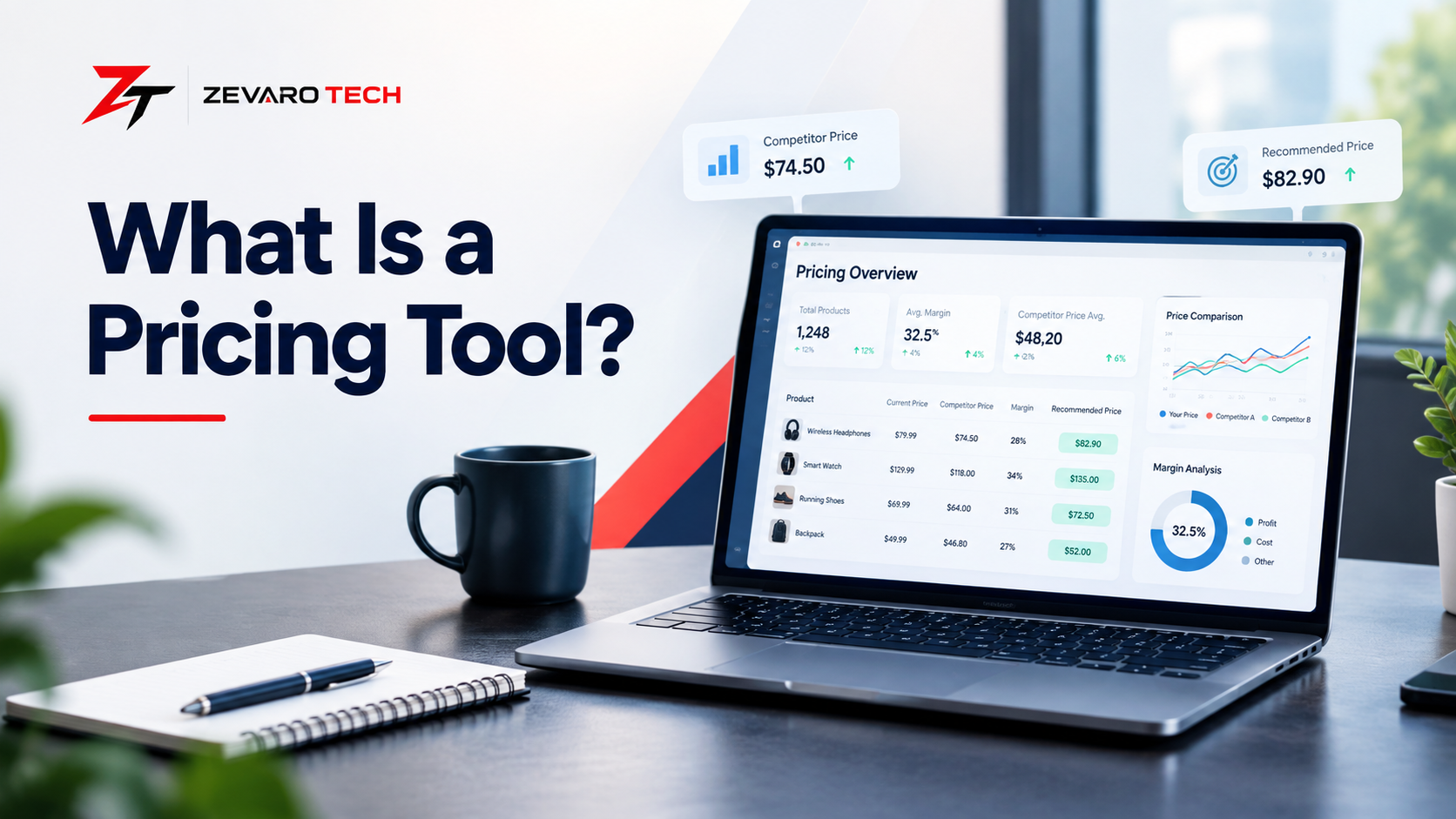
Concept: A modern pricing dashboard showing product prices, margins, competitor comparisons, and pricing recommendations.
Primary text: WHAT IS A PRICING TOOL?
Why it works: It communicates the subject immediately while establishing a professional editorial identity.
2. Pricing Tool Workflow Diagram
Data → Analysis → Pricing Rules/Models → Recommendation → Review → Price Update → Monitoring
Why: Turns an otherwise technical process into an easy visual sequence.
3. Pricing Tool Types Infographic
Calculator → Competitive → Analytics → Optimization → Dynamic → Quote → SaaS
Why: Clarifies that “pricing tool” covers several different categories rather than one standardized product type.
4. Comparison Graphic
Pricing Calculator vs Pricing Tool vs Dynamic Pricing
Show each category’s main purpose, level of automation, and typical use case.
Why: Provides a fast visual answer to one of the article’s most important semantic distinctions.
5. Data Inputs Diagram
Costs + Margins + Competitor Prices + Sales Data + Demand + Business Rules
↓
Pricing Analysis
↓
Pricing Decision
Why: Shows readers that pricing recommendations can be influenced by several inputs rather than one isolated number.
6. Decision Tree
What are you trying to solve?
→ Calculate a price
→ Monitor competitors
→ Analyze pricing
→ Optimize prices
→ Automatically adjust prices
→ Create customer quotes
Why: Helps readers move from a vague need for a “pricing tool” to a more specific software category.
7. Dashboard Screenshot
Use a real, permission-safe screenshot only when an appropriate source allows its use.
Why: A genuine interface gives readers a realistic understanding of how pricing software may present calculations, analysis, rules, recommendations, and monitoring data.